Quickstart
A demo on a page, in about five minutes — and the same file as a README SVG.
This assumes Astro; Installation covers the other setups.
1. Write a demo
A demo is a YAML file: the terminal’s size and theme, then the steps — what is typed, what the program prints, where it pauses.
# src/demos/install.terminal.yaml
version: 1
terminal:
  title: my-cli
  cols: 72
  rows: 10
  theme: catppuccin-mocha
steps:
  - run: npm install -g my-cli
  - output: |
      {green}✓{/} added 1 package in 2s
  - run: my-cli init
  - output: |
      Created {bold}my-cli.config.json{/}
  - wait: 1500
run types a command at the prompt and presses Enter; output is what the program
answers, with {green}…{/} for colour. That file compiles to this:
install.terminal.yaml, compiled
$ npm install -g my-cli
✓ added 1 package in 2s
$ my-cli init
Created my-cli.config.json
2. Put it on a page
---
import TerminalDemo from '@casoon/astro-castwright/TerminalDemo.astro';
import install from '../demos/install.terminal.yaml';
---

<TerminalDemo demo={install} autoplay loop />
That is the whole integration. The demo is compiled during astro build; the YAML parser
and the compiler never reach the browser. Any other Vite-based framework uses the
Vite plugin the same way.
Note:
demotakes an import, not a path string. A path would have to be resolved relative to the calling page, which the component cannot do — and an import is type-checked, so the build fails when the file moves instead of the page silently going blank.
3. Iterate
The tightest loop is the CLI’s dev server: it watches one file and reloads on save.
pnpm exec castwright dev src/demos/install.terminal.yamlcastwright validate checks files without building them — fast enough for a pre-commit
hook, and precise: every error names the file, line and column.
4. The same file, elsewhere
The page is one output. The file builds to others with the CLI:
castwright build src/demos/install.terminal.yaml --format svg   # animated SVG
castwright build src/demos/install.terminal.yaml --format gif   # via agg; mp4 via agg + ffmpeg
castwright build src/demos/install.terminal.yaml                # .cast for any asciinema player
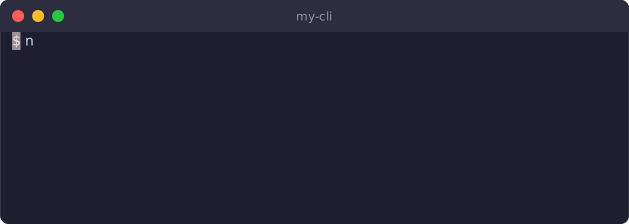
The SVG is one self-contained file with no script, so it animates inside a plain
<img> — in a GitHub README, too. This one was built from the file above, during this
site’s build:
What to read next
- Recipes — a landing-page snippet, a README SVG, real commands, a VHS tape.
- Writing demos — pacing, prompts, colour.
- DSL reference — every key, each with a live example.
- Accessibility — what the player does for you, and the one thing it cannot do for you.