DevMarkv0.3.0

CASOON Open Source

Code, notes and writing – one editor.

DevMark is a desktop editor for people who move between project files, notes and long-form text. Markdown and Typst with a live print preview and PDF export, notes as plain Markdown files – local, no account, no server.

scripts/bundle-macos.sh --install
cargo run -p devmark -- <folder>
Apache-2.0 OR MITv0.3.0macOS · Windows · LinuxRust
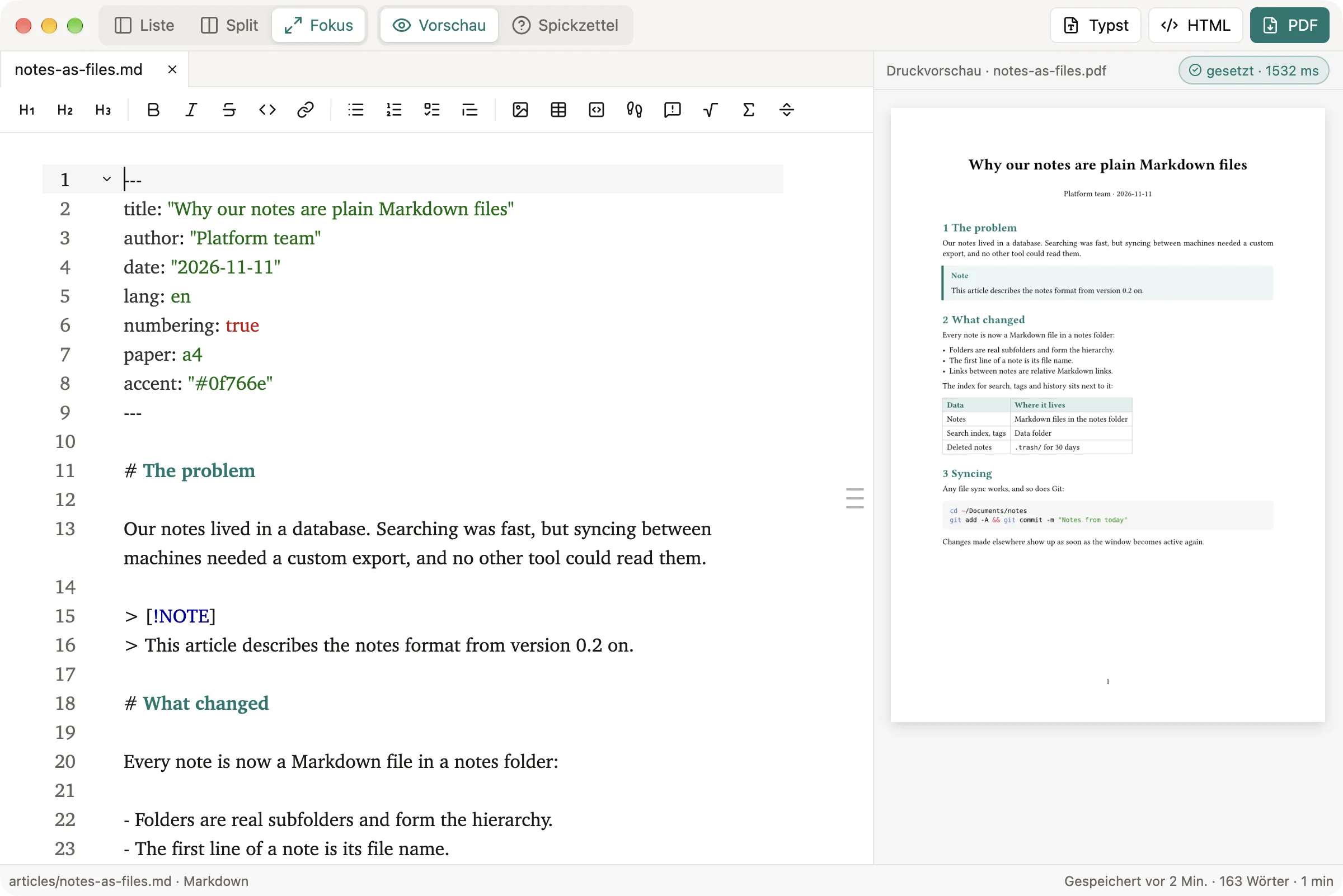
DevMark in focus mode: on the left the Markdown source of an article with frontmatter including an accent color, headings, a note callout and a bullet list, with save state, word count and reading time above; on the right the print preview with the build status notes-as-files.md to notes-as-files.pdf, typeset in 273 ms, and the article set on an A4 page with numbered headings in the accent color, a highlighted note, a table and a code block.

What it does

From draft to published

One file, all the way through.

A document stays one Markdown or Typst file. Preview, PDF and web pages are made from it – nothing to copy into another program.

  1. Write

    report.md

    Write in Markdown

    Frontmatter sets title, language, numbering and the accent colour.

  2. Preview

    Cmd/Ctrl-Shift-V

    See the pages

    Typst sets the pages next to the text as you type; warnings jump to their line.

  3. Print

    report.pdf

    Export the PDF

    The same typesetting, written to the workspace – offline.

  4. Publish

    index.html

    Export web pages

    A document or the whole folder as static HTML with navigation, light and dark mode, no JavaScript.

From text to PDF

Write it, see it, set it.

What you write is what gets printed. Markdown is converted to Typst, and Typst sets the pages – for the preview as you type and for the PDF.

  • Frontmatter drives the layout: title, author, language, table of contents, numbering, paper size.
  • More than CommonMark: tables, footnotes, task lists, callouts, LaTeX math and MDX.
  • On the command line: devmark-typst converts the same files in scripts and builds.
Focus
From text to PDF
From text to PDFA Markdown or MDX file is converted to Typst; a Typst file goes straight on. Typst typesetting turns it into the print preview next to the text and into the PDF. Everything runs offline.Markdown / MDX → ConversionConversion → Typst typesettingTypst file → Typst typesettingTypst typesetting → Print previewTypst typesetting → PDFMarkdown / MDX – with frontmatterMarkdown / MDXwith frontmatterTypst fileTypst fileConversion – Markdown → TypstConversionMarkdown → TypstTypst typesetting – offline, local cacheTypst typesettingoffline, local cachePrint preview – next to the textPrint previewnext to the textPDF – in the workspacePDFin the workspace

Source: crates/writing/src/markdown.rs, crates/writing/src/pdf.rs

Show chart data
Data for From text to PDF
StepKindLeads to
Markdown / MDXstartConversion
Typst filestartTypst typesetting
ConversionstepTypst typesetting
Typst typesettingstepPrint preview, PDF
Print previewend
PDFend
Focus
From text to PDF
From text to PDFA Markdown or MDX file is converted to Typst; a Typst file goes straight on. Typst typesetting turns it into the print preview next to the text and into the PDF. Everything runs offline.Markdown / MDX → ConversionConversion → Typst typesettingTypst file → Typst typesettingTypst typesetting → Print previewTypst typesetting → PDFMarkdown / MDX – with frontmatterMarkdown / MDXwith frontmatterTypst fileTypst fileConversion – Markdown → TypstConversionMarkdown → TypstTypst typesetting – offline, local cacheTypst typesettingoffline, local cachePrint preview – next to the textPrint previewnext to the textPDF – in the workspacePDFin the workspace

Source: crates/writing/src/markdown.rs, crates/writing/src/pdf.rs

Show chart data
Data for From text to PDF
StepKindLeads to
Markdown / MDXstartConversion
Typst filestartTypst typesetting
ConversionstepTypst typesetting
Typst typesettingstepPrint preview, PDF
Print previewend
PDFend

Notes

Write now, never locked in.

A note is a Markdown file in the notes folder. Folders are real subfolders, the first line becomes the file name, and saving happens on its own.

  • Find: full-text search, #tags in the text or the frontmatter, favorites.
  • Link: [[ inserts a relative Markdown link; renaming and moving update it, backlinks show below the note.
  • Sync: put the notes folder into iCloud Drive, Nextcloud, Dropbox or Syncthing – or keep it as a Git repository.
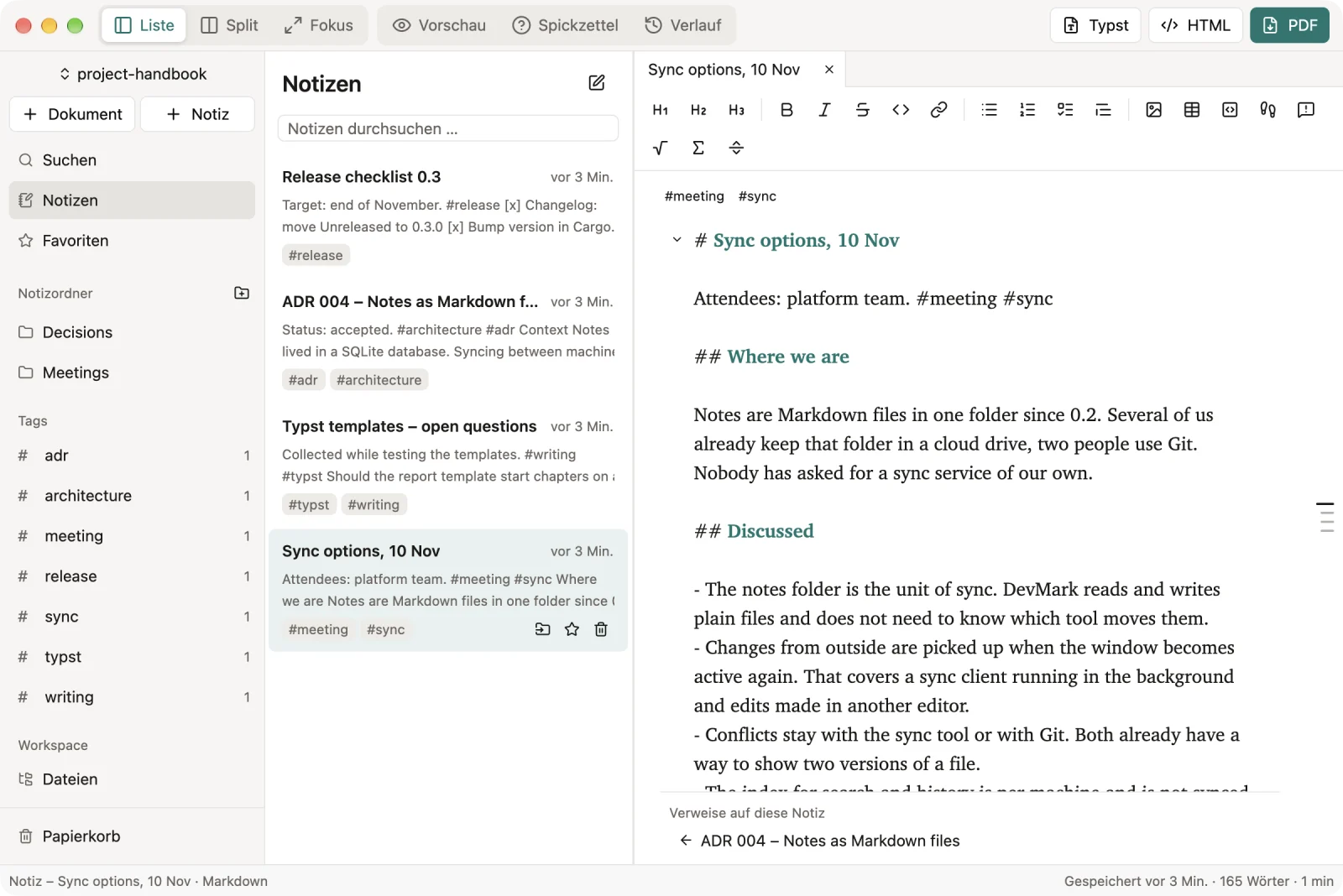
DevMark showing notes: navigation with the note folders Decisions and Meetings and a list of tags, the note list with title, time and preview, and the open meeting note “Sync options, 10 Nov” with its tags, word count and reading time, headings, a bullet list and a numbered list of decisions, and below it the backlink from an architecture decision.
templates, from article to business letter
6
deleted notes stay in the trash
30 days
systems: macOS, Windows, Linux
3
accounts or servers needed
0

The shortcuts that matter

Writing

  • New document from templateCmd/CtrlN
  • Print previewCmd/CtrlShiftV
  • Export PDFCmd/CtrlShiftE

Notes

  • New noteCmd/CtrlShiftN
  • Search notesCmd/CtrlShiftF
  • Focus modeCmd/CtrlShiftEnter

Quickstart

DevMark is built from source. With a Rust toolchain it takes three lines; on macOS a script turns it into an app.

  1. Install Rust with rustup.
  2. Clone the repository and start it with a folder as the workspace.
  3. On macOS, optionally run scripts/bundle-macos.sh --install for an app in the Applications folder.
TerminalBuild and run
git clone https://github.com/casoon/devmark.git
cd devmark
cargo run -p devmark -- ~/projects/my-text

Frequently asked questions

Are there prebuilt downloads?

Yes. The GitHub releases have a universal app for macOS and an archive for Linux (x86_64), each with a checksum and signed build provenance. On other systems, build it from the repository.

What happens to my notes if I stop using DevMark?

Nothing. They are Markdown files in a normal folder, and links are relative links. The index for search and history lives separately.

Do I need Typst or LaTeX installed?

No. The Typst typesetter is built in and runs offline. Typst packages are loaded from the local cache only.

Is the interface in English?

Not yet – the interface is in German for now. The documentation names the menu items as they appear in the app.

Build it, start it, write.

Go to installation