Helpdesk

CASOON · In development

A shared inbox for support, on your own server.

Helpdesk collects mail, web-form requests and customer-portal tickets in one queue, and automates the routine with triggers, macros and SLAs. Self-hosted, with your own PostgreSQL and storage.

Self-hosted
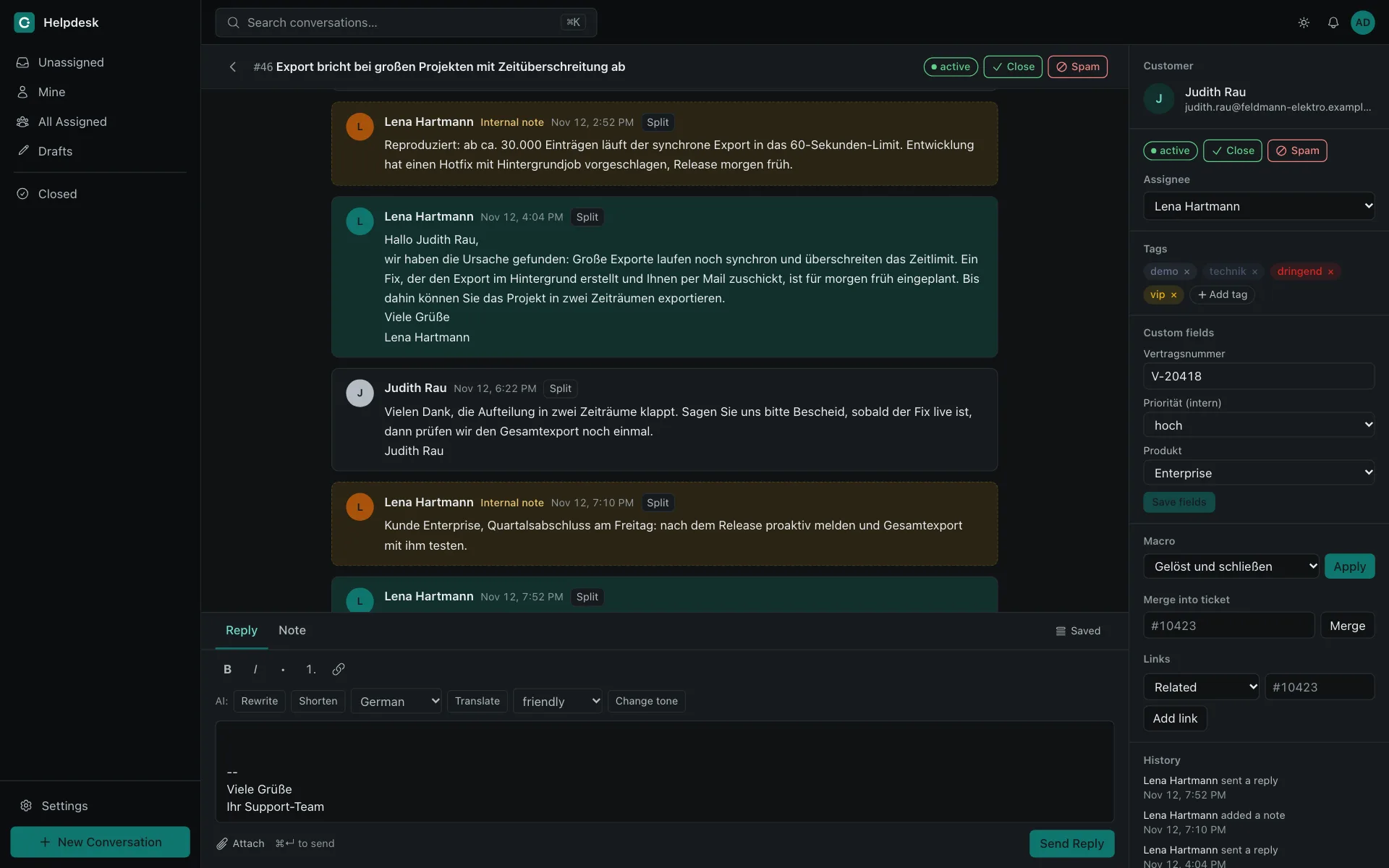
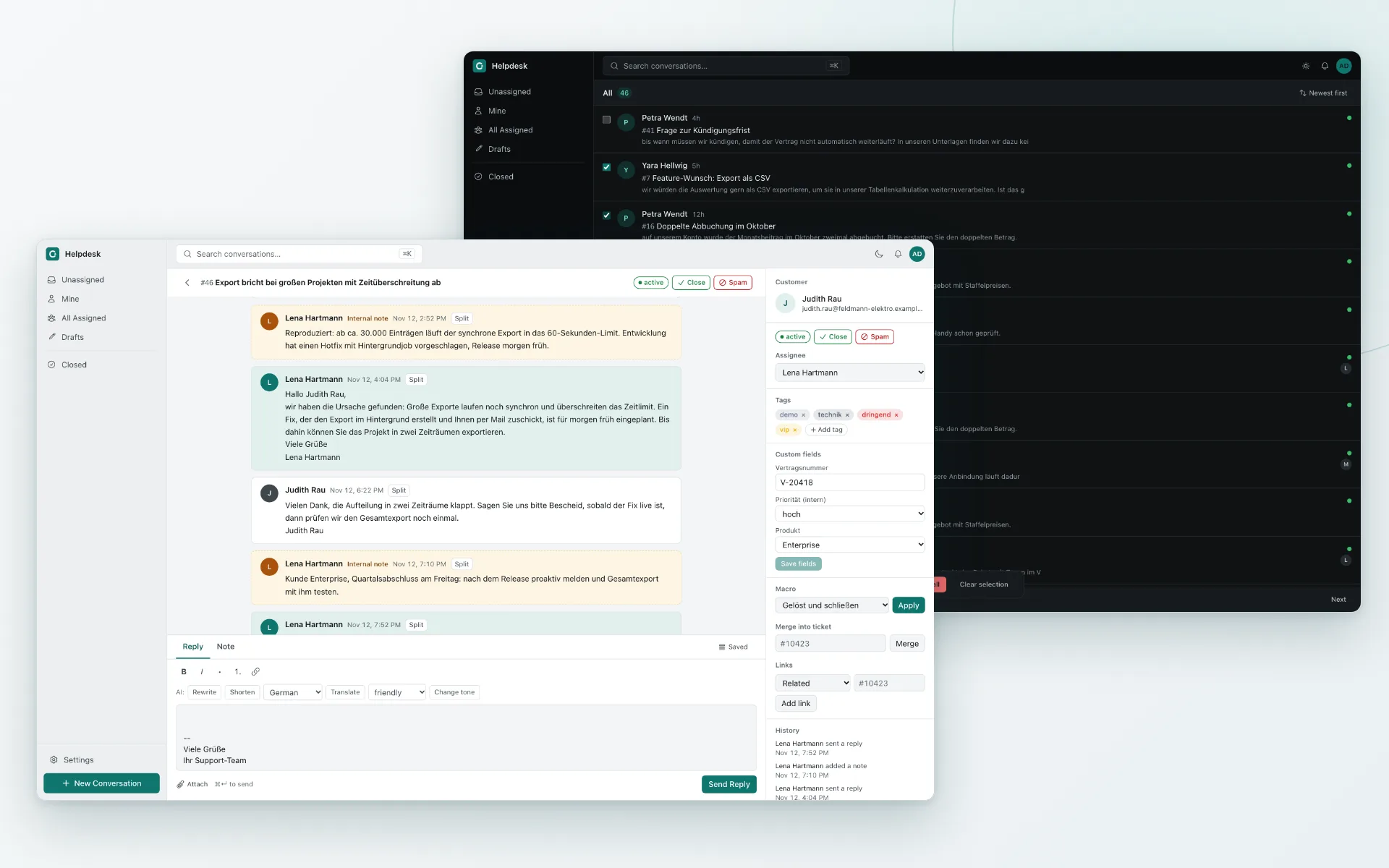
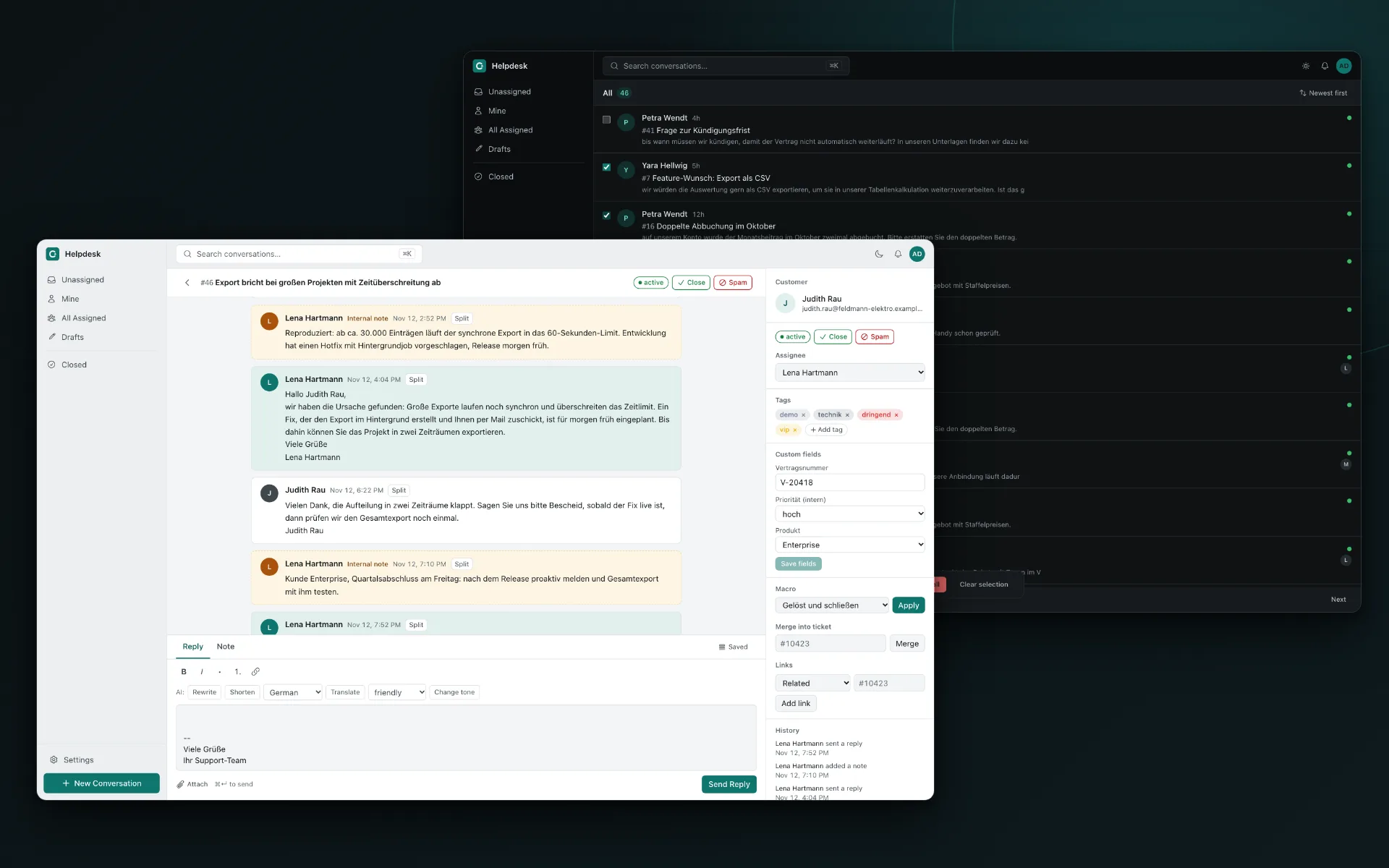
Two Helpdesk windows overlapping: in front a ticket in the light theme with a thread of customer messages, agent replies and internal notes, a reply editor and a side panel with assignee, tags and custom fields; behind it the ticket list in the dark theme.Two Helpdesk windows overlapping: in front a ticket in the light theme with a thread of customer messages, agent replies and internal notes, a reply editor and a side panel with assignee, tags and custom fields; behind it the ticket list in the dark theme.

What it does

Work the queue

The ticket list is the product.

Who wrote, what about, how old. Agents see it at a glance, reply from a rich-text editor with saved replies and draft autosave, and see when a colleague is already working on a ticket.

  • Side panel. Assignee, tags, custom fields, macros, merge, links and the ticket history sit next to the thread.
  • Search. Full-text search over tickets, also by ticket number such as #10423.
  • Live. The list and the detail view update through server-sent events.
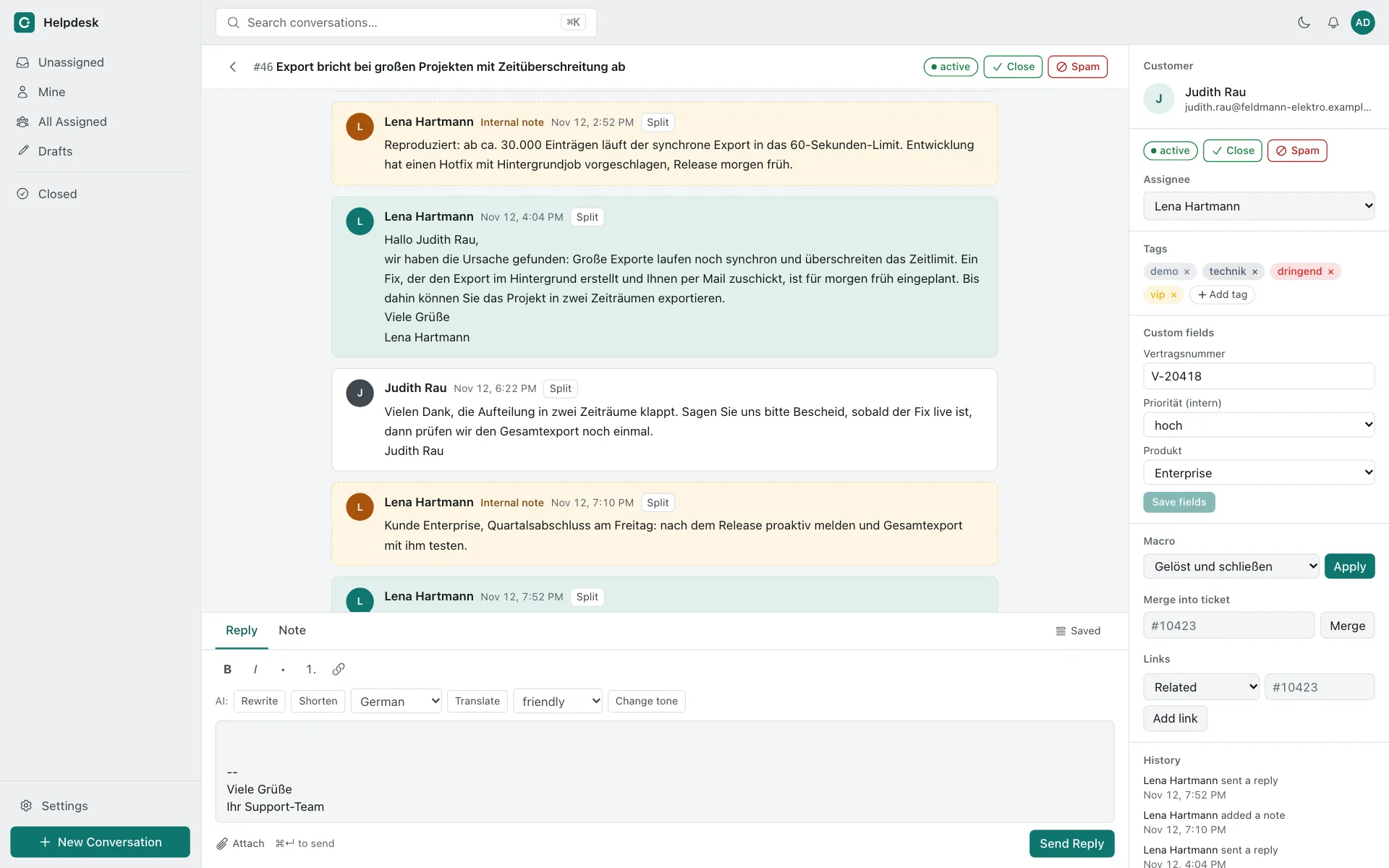
A ticket in the light theme. The thread alternates customer messages, agent replies and yellow internal notes. A side panel lists customer, status buttons, assignee, tags, custom fields, a macro selector, merge and link controls, and the history. Below the thread is the reply editor with AI buttons for rewrite, shorten, translate and tone.A ticket in the light theme. The thread alternates customer messages, agent replies and yellow internal notes. A side panel lists customer, status buttons, assignee, tags, custom fields, a macro selector, merge and link controls, and the history. Below the thread is the reply editor with AI buttons for rewrite, shorten, translate and tone.

Automate the routine

Triggers react, schedulers sweep.

A trigger is an event, a selector and actions. Loop protection lets each trigger fire once per event chain, so automation cannot talk to itself forever.

  • Events. Ticket created, ticket updated, customer message, agent message.
  • Actions. Status, assignee, tags, notes, mails, pending-until, custom fields and webhooks.
  • Guard rails. Automated mail carries an Auto-Submitted header and is capped per ticket and per recipient.
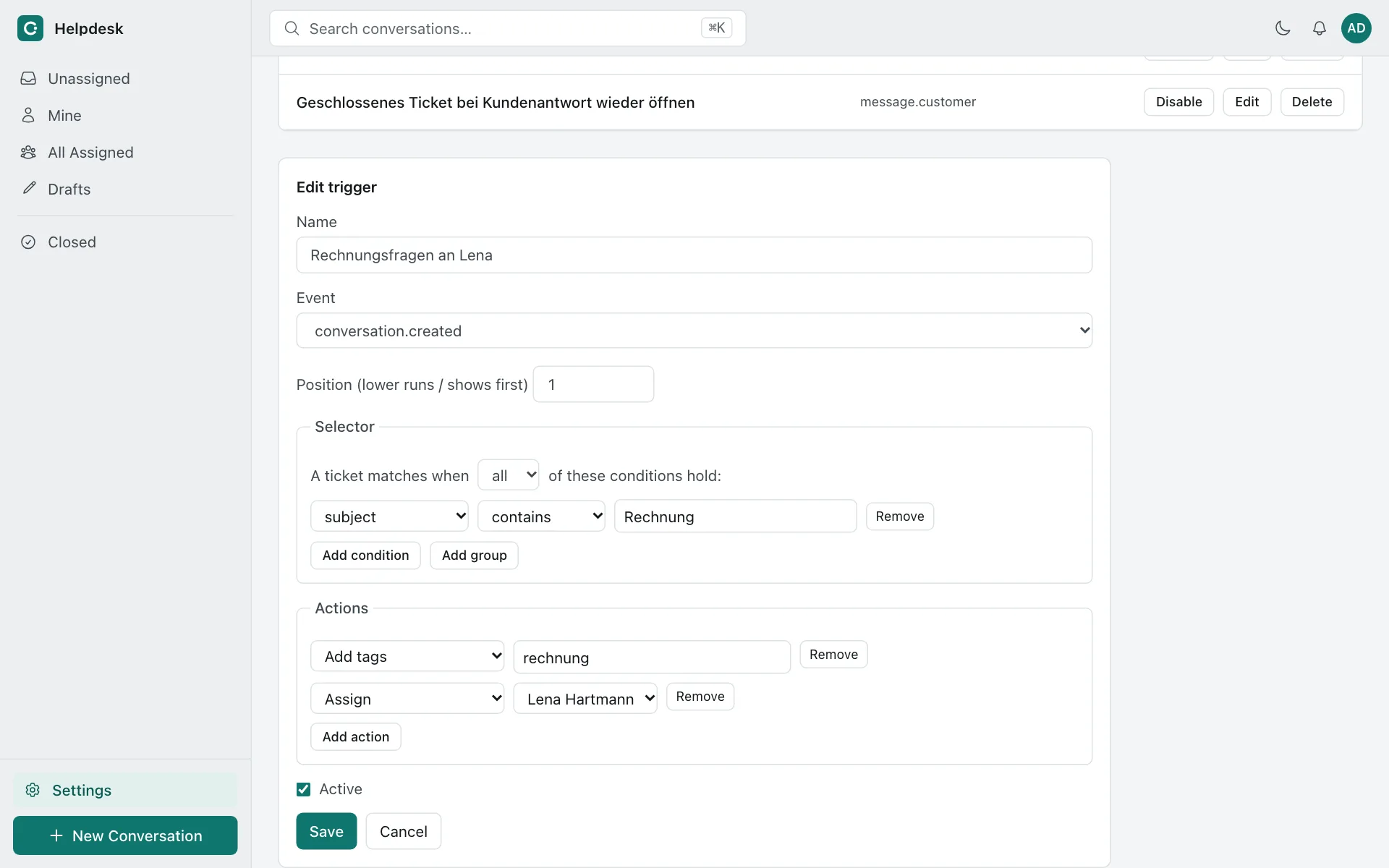
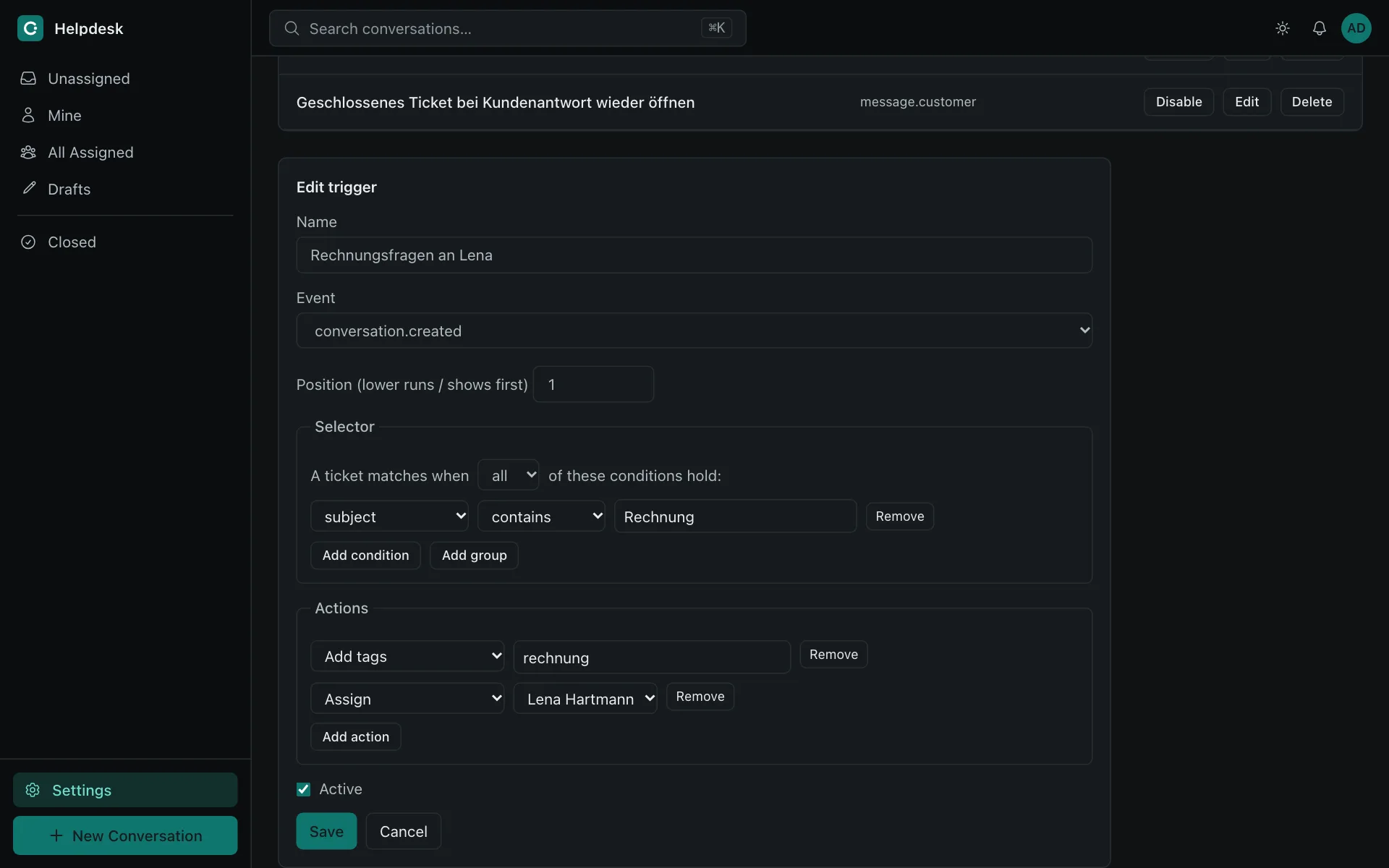
The trigger editor in the dark theme: name, event and position, a selector with the condition subject contains Rechnung, and the actions add tags and assign to an agent, above a list of three triggers.The trigger editor in the dark theme: name, event and position, a selector with the condition subject contains Rechnung, and the actions add tags and assign to an agent, above a list of three triggers.

Keep promises

SLAs that count business hours.

Targets in business minutes. A calendar defines the weekly plan, holidays and the time zone. The status pending stops the clock, and when the earliest deadline passes the escalation actions run once.

  • Three targets. First response, update and solution.
  • Overviews. Saved selector views, for example one for escalated tickets.
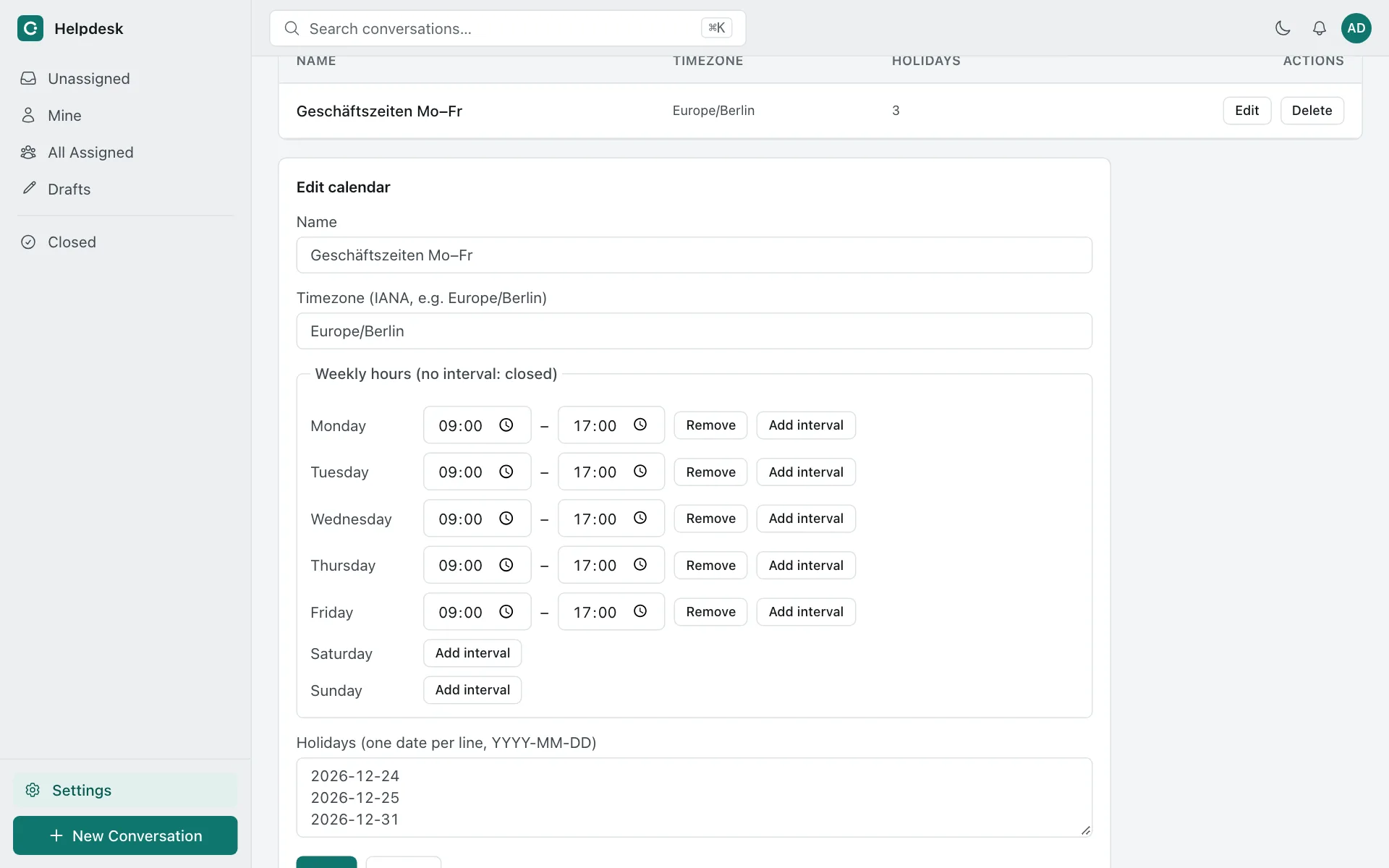
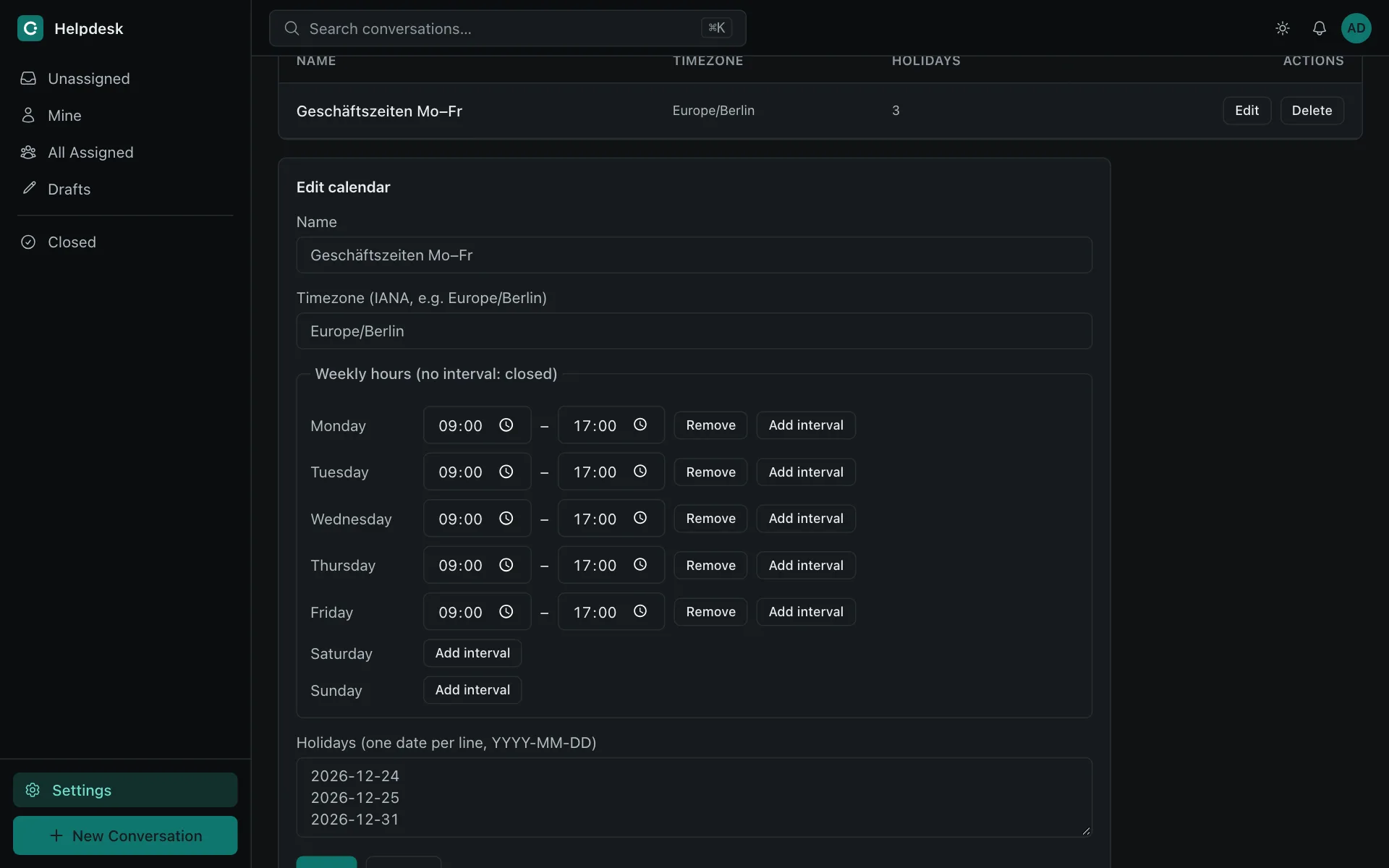
The business-hours calendar editor in the light theme: time zone Europe/Berlin, weekly hours from 09:00 to 17:00 on weekdays, and a list of holidays, below the tables of SLAs and calendars.The business-hours calendar editor in the light theme: time zone Europe/Berlin, weekly hours from 09:00 to 17:00 on weekdays, and a list of holidays, below the tables of SLAs and calendars.

From request to resolution

One path for every channel.

Whatever the way in, a request becomes a ticket in a mailbox and follows the same rules.

  1. Receive

    mail / form / portal

    A request arrives

    The IMAP worker, the contact form or the portal creates the ticket or extends one.

  2. Sort

    trigger

    Rules take over

    Organization by mail domain, triggers set status, assignee or tags.

  3. Answer

    reply

    An agent replies

    The reply is queued in the same transaction and sent by the mailer worker.

  4. Watch

    SLA

    Deadlines run

    Escalation actions, such as a webhook, run when a target is missed.

Also in the box

Status
In development, not production-ready
API and workers
Hono, pg-boss, Node.js
Web
Astro, Svelte, Tailwind
Data
PostgreSQL with Drizzle, S3-compatible storage
Deployment
Docker Compose and Nginx

Quickstart

Start a local instance in a few minutes. Create the first user and, if you like, fill it with demo data — the walkthrough is in the documentation.

  1. Copy .env.example to .env and set DATABASE_URL.
  2. Start the stack with Docker Compose; storage runs in a local container.
  3. Create the first user with the seed script.
TerminalDocker Compose
cp .env.example .env
# set DATABASE_URL, then:
docker compose up

Frequently asked questions

Is it ready for production?

Not yet. It is in development, the API, schema and interface can still change without notice, and it has not been tested against all real services. Try it with your own setup before relying on it.

What do I need to run it?

Docker with Compose v2, a PostgreSQL database and S3-compatible storage. The Compose stack does not include PostgreSQL; the local stack includes MinIO for storage.

Does my ticket data leave my server?

Only if you switch on AI with a hosted provider. AI is off unless configured, and a self-hosted OpenAI-compatible model keeps the data on your infrastructure. The interface itself makes no requests to third parties.

Which languages does the interface speak?

English. Ticket content can be in any language.

Start with the quickstart.

Read the documentation