Knowledge Corev0.3.1knowledge.casoon.de

CASOON Open Source

Docs and courses from one monorepo.

Knowledge Core is a starting point for teams who publish documentation, training or a knowledge base: a docs site and a course platform with quizzes and progress, built from the same components and written in MDX. Optionally, an AI assistant answers visitor questions from your own content.

git clone https://github.com/casoon/knowledge-core.git
Free · MITv0.3.1Astro 7English · German

Read the docsLive docs demoLive course demo

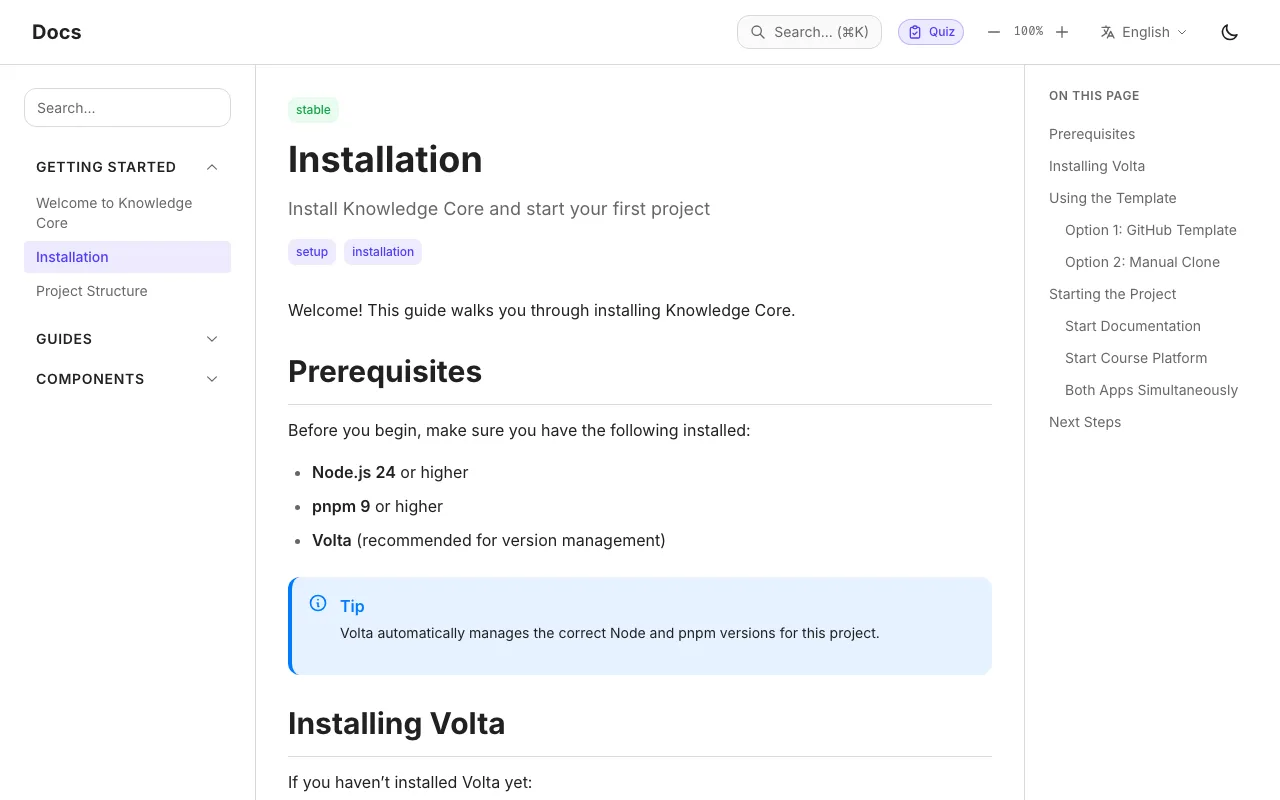
The live docs demo at kc-docs.casoon.dev: the Installation page with a sidebar for Getting started, Guides and Components on the left, a tip box in the text, an 'On this page' outline on the right and search, quiz, language and dark-mode controls in the header.

Who it is for

  1. Teams that document a product

    Guides, references and how-tos in MDX, with a sidebar you configure, search, an outline per page and English and German versions.

  2. Teams that train people

    Courses split into modules and lessons, with quizzes, exercises and hints. Progress stays in the learner’s browser, so there is no account and no backend to run.

  3. Both from one place

    The docs site and the course site share their components and design tokens. Change a button or a colour once and both sites follow.

  4. Mistakes caught before they go live

    Every page and lesson is checked against a schema when the site builds. A missing title or an unknown course level stops the build instead of shipping a broken page.

The course platform

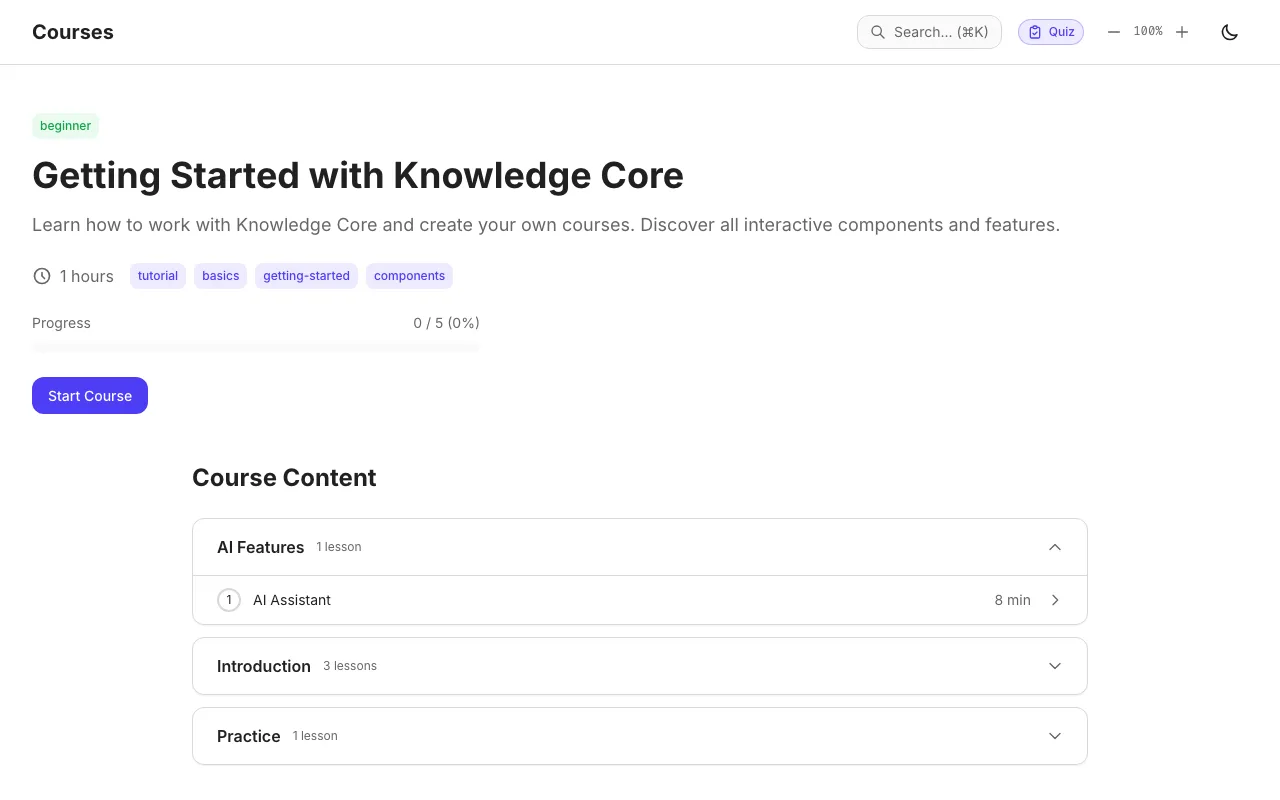
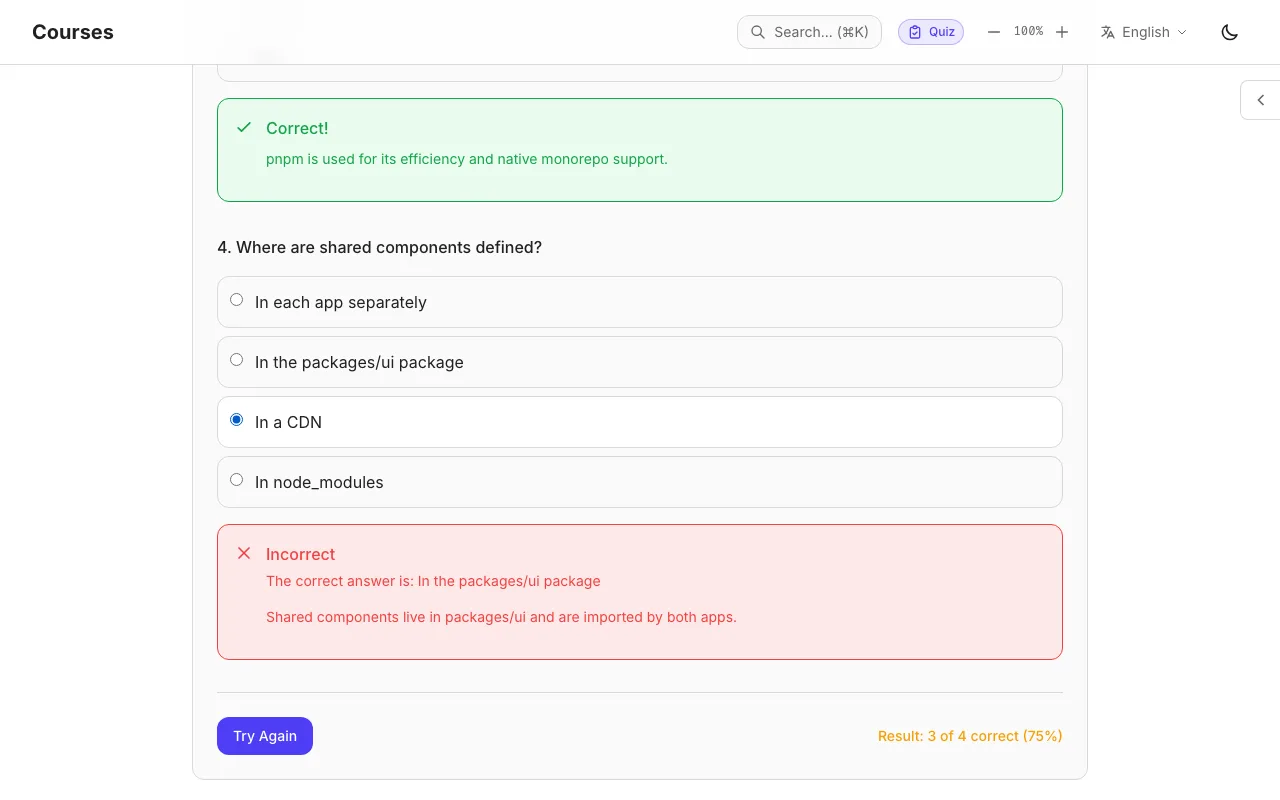
Both screenshots are from the live demo at kc-courses.casoon.dev, built from the sample course that ships with the template.

Course page 'Getting Started with Knowledge Core': level badge beginner, duration, tags, a progress bar at 0 of 5 lessons, a Start Course button and the course content grouped into the modules AI Features, Introduction and Practice.
A course with its modules, lessons and the learner’s progress.
Quiz in a lesson after checking the answers: question 3 marked Correct with an explanation, question 4 marked Incorrect with the right answer 'In the packages/ui package' and a short explanation, and the result '3 of 4 correct (75%)' next to a Try Again button.
A quiz after checking: feedback and explanation per question.
sites: documentation and courses
2
shared Astro components for both
25
languages out of the box, English and German
2
tests for schemas, i18n and the chat worker
67

How it works

You write pages and lessons as MDX files. When the sites build, each file is checked against the content schemas, and both apps take their look from the shared packages. The result is plain static files that run on any static host.

The AI assistant is optional. One command indexes the same content in Cloudflare Vectorize, and a small Cloudflare Worker answers questions from it in a chat window on both sites.

How Knowledge Core worksYou write docs pages and lessons in MDX. When the sites build, every file is checked against the Zod schemas in packages/content-model, and both apps take their components and design tokens from packages/ui and packages/styles. The docs app and the courses app each build to static files for any static host. Optionally, pnpm run ingest indexes the same content in Cloudflare Vectorize for the AI assistant.How Knowledge Core worksYour content → Checked on buildChecked on build → Docs siteChecked on build → Course siteShared components → Docs siteShared components → Course siteDocs site → Static files: buildCourse site → Static files: buildYour content → AI assistant: ingestbuildbuildingestYour content – MDX pages and lessonsYour contentMDX pages and lessonsChecked on build – Zod schemasChecked on buildZod schemasShared components – packages/ui, stylesShared componentspackages/ui, stylesDocs site – apps/docsDocs siteapps/docsCourse site – apps/coursesCourse siteapps/coursesStatic files – any static hostStatic filesany static hostAI assistant – Vectorize, Workers AIAI assistantVectorize, Workers AI

Quickstart

Create a repository from the GitHub template or clone it, install once at the root, and one command starts everything.

  1. Install Node.js 22.12 or newer and pnpm 9 or newer.
  2. Use the template on GitHub, or clone the repository with the line above.
  3. Run pnpm install and pnpm dev, then replace the sample pages and the sample course with your own.
Start
pnpm install
pnpm dev   # docs :4321, courses :4322, chat :8787