rechenkistev0.1.2

CASOON Open Source · App

Math practice for primary school.

Rechenkiste gives children in grades 1 to 5 one task at a time, checks every answer on the server and explains a mistake right away. It runs in the browser, in German, English and Ukrainian, without signing up.

MITv0.1.2Astro 7htmx 2Alpine.js 3
Screenshot of the live app, task 1 of 10 in the category Measurements: a clock face, the question “What time is it?”, and after a wrong answer the feedback “That was incorrect.” with the correct time, a hint about where the long hand points and a Next Task button.
A clock task after a wrong answer, captured from rechenkiste.casoon.dev.
task types in the registry
105
grades, from 1 to 5
5
languages: German, English, Ukrainian
3
Astro components behind the htmx fragments
12

What it does

From the live app

Try it yourself →
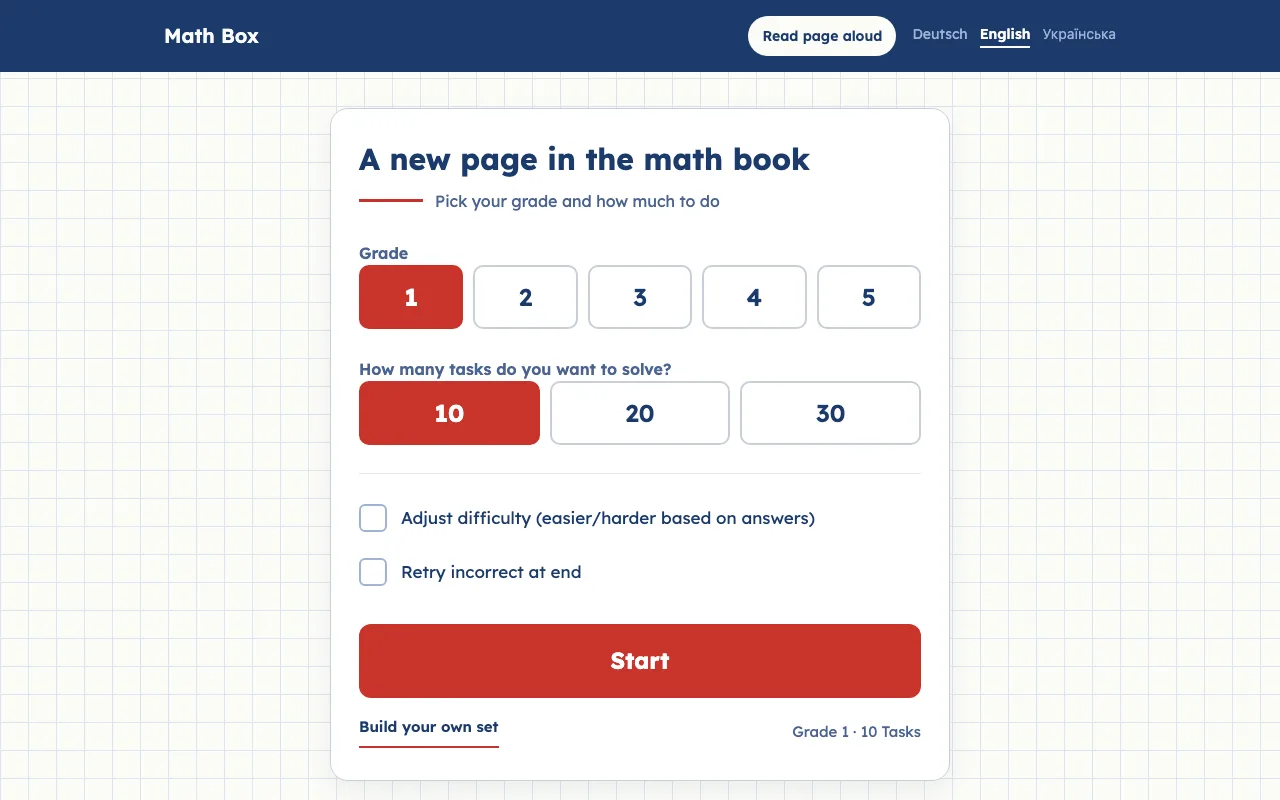
Start page of the English version: “A new page in the math book”, grade buttons 1 to 5, task count 10, 20 or 30, checkboxes for adjusting the difficulty and retrying incorrect answers, and a Start button.
Pick a grade and how many tasks.
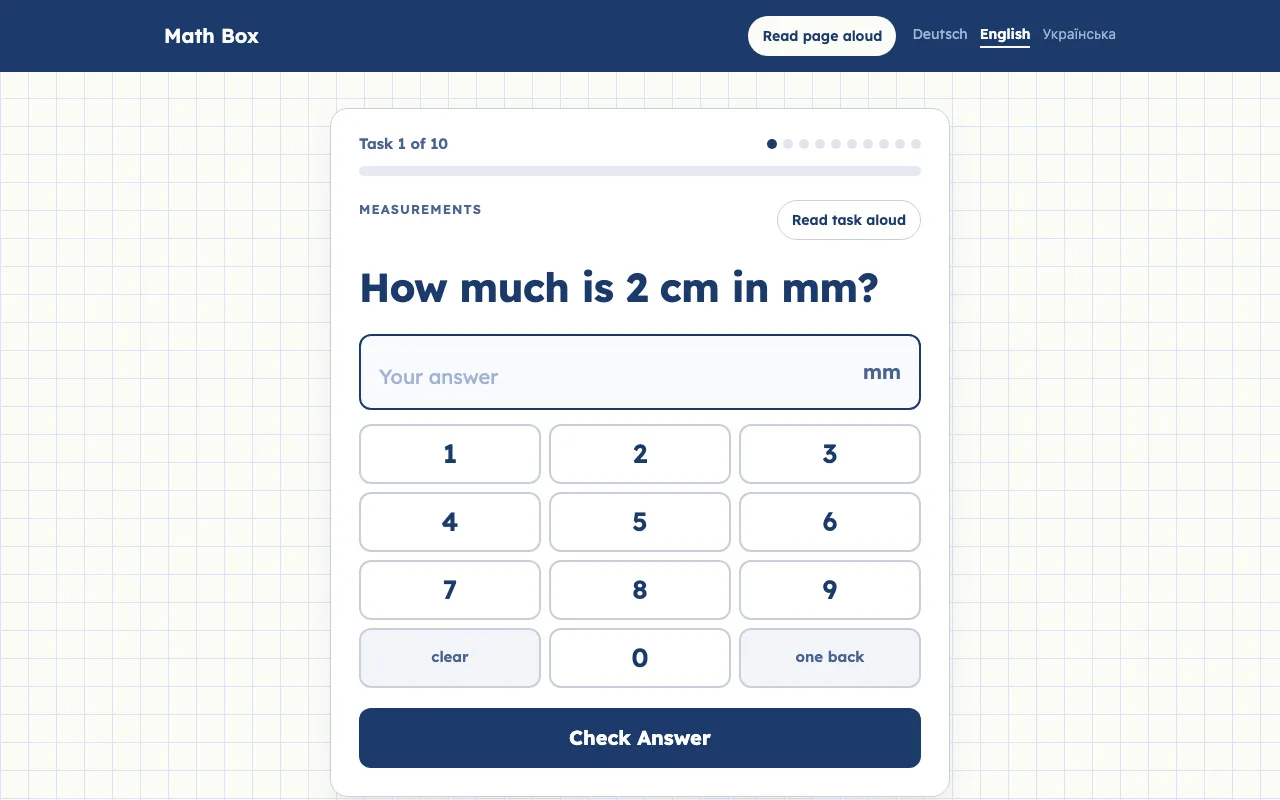
Task 1 of 10 in the category Arithmetic: “5 × 4 = ?” with an answer field, an on-screen number pad from 0 to 9 with clear and one back, and a Check Answer button.
Whole-number answers come with a number pad.
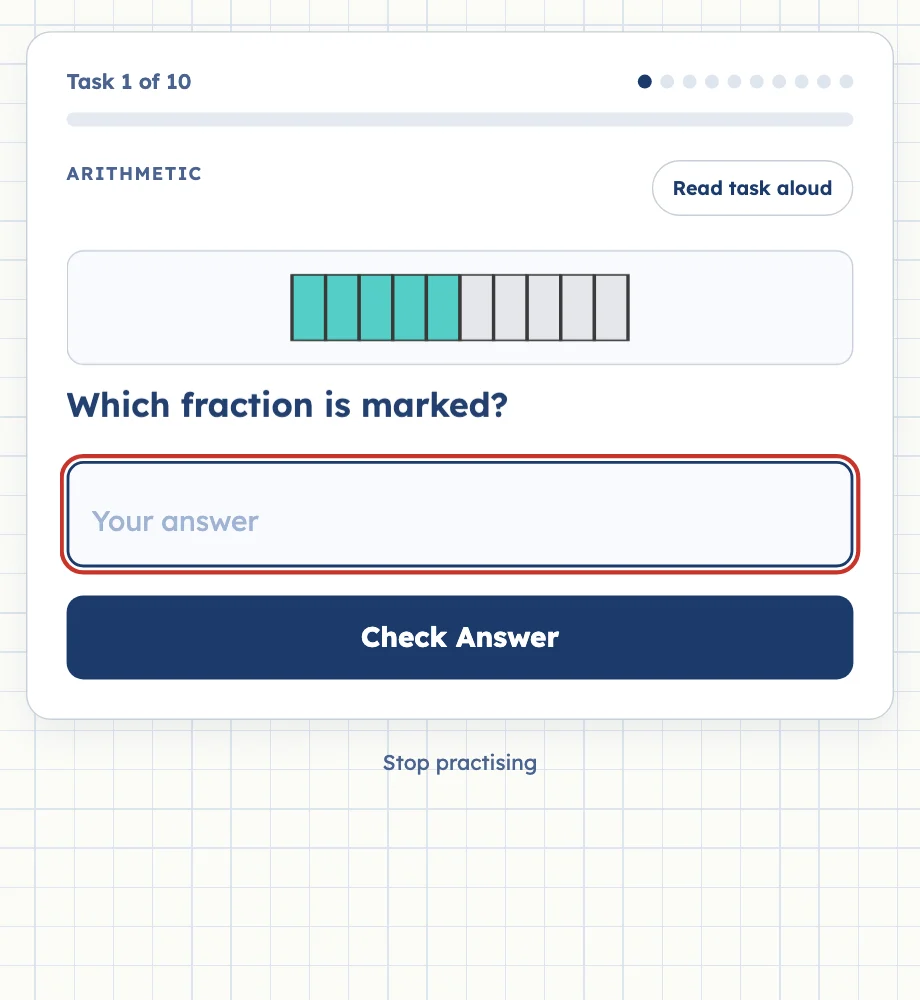
Task 1 of 10: a bar of ten parts with five coloured, the question “Which fraction is marked?”, an answer field and a Check Answer button.
Fractions, clocks and shapes are drawn as SVG.

Fragments instead of page loads

Rechenkiste is also the demo app for the AHA stack – Astro, htmx and Alpine.js – and for @casoon/fragment-renderer. An answer is an htmx request; the server checks it and answers with the rendered feedback component as HTML.

The browser swaps that HTML in, and the next task arrives the same way. Alpine.js only keeps local state such as the number pad; nothing loads from a CDN.

What happens when a child answersThe answer form posts to /api/test/answer with htmx. The route loads the session from the Astro session store and checks that the submission belongs to the current task; a stale submission is refused with 409. Otherwise the task validates the answer with its own rules, the session moves on, and @casoon/fragment-renderer renders the feedback component. htmx swaps the returned HTML into the feedback container, without a page load.What happens when a child answersAnswer form → Current task?: POSTCurrent task? → 409: noCurrent task? → Task rules: yesTask rules → fragment-renderer: resultfragment-renderer → htmx swap: HTMLPOSTnoyesresultHTMLAnswer form – hx-postAnswer formhx-postCurrent task? – session in KVCurrent task?session in KV409 – stale submission409stale submissionTask rules – check, hintTask rulescheck, hintfragment-renderer – feedback componentfragment-rendererfeedback componenthtmx swap – no page loadhtmx swapno page load

Run it locally

Node and pnpm are all you need. The Cloudflare adapter runs the app in workerd locally, sessions included.

  1. Clone the repository and install the dependencies with pnpm install.
  2. Start the dev server with pnpm dev and open the printed URL.
  3. Run pnpm test, pnpm check and pnpm lint before a change goes in.
Local
git clone https://github.com/casoon/rechenkiste.git
cd rechenkiste
pnpm install
pnpm dev

New in v0.1.2

Changelog →

Frequently asked questions

Do I need to sign up or install anything to try it?

No. The live app runs in the browser at rechenkiste.casoon.dev — pick a grade, a task count and a difficulty, and start. Nothing is saved beyond the current session.

Which languages are supported?

German, English and Ukrainian. Pages and tasks can also be read aloud through the browser’s speech synthesis, offered only when a voice for that language is available.

How does the app check an answer without reloading the page?

An answer is sent as an htmx request; the server validates it with the task’s own rules — equivalent fractions like 6/8 and 3/4 both count as correct — and returns a rendered feedback fragment that htmx swaps into the page.

What does "adaptive difficulty" do?

When enabled, it moves up a grade after three correct answers in a row and down after three incorrect ones. Missed tasks can also be repeated at the end of a run.

Can I run it locally or reuse the renderer in my own project?

Yes. Clone the repository and run pnpm install && pnpm dev; Rechenkiste also doubles as the demo app for @casoon/fragment-renderer and the AHA stack (Astro, htmx, Alpine.js).