CASOON Open Source
Data in, report out.
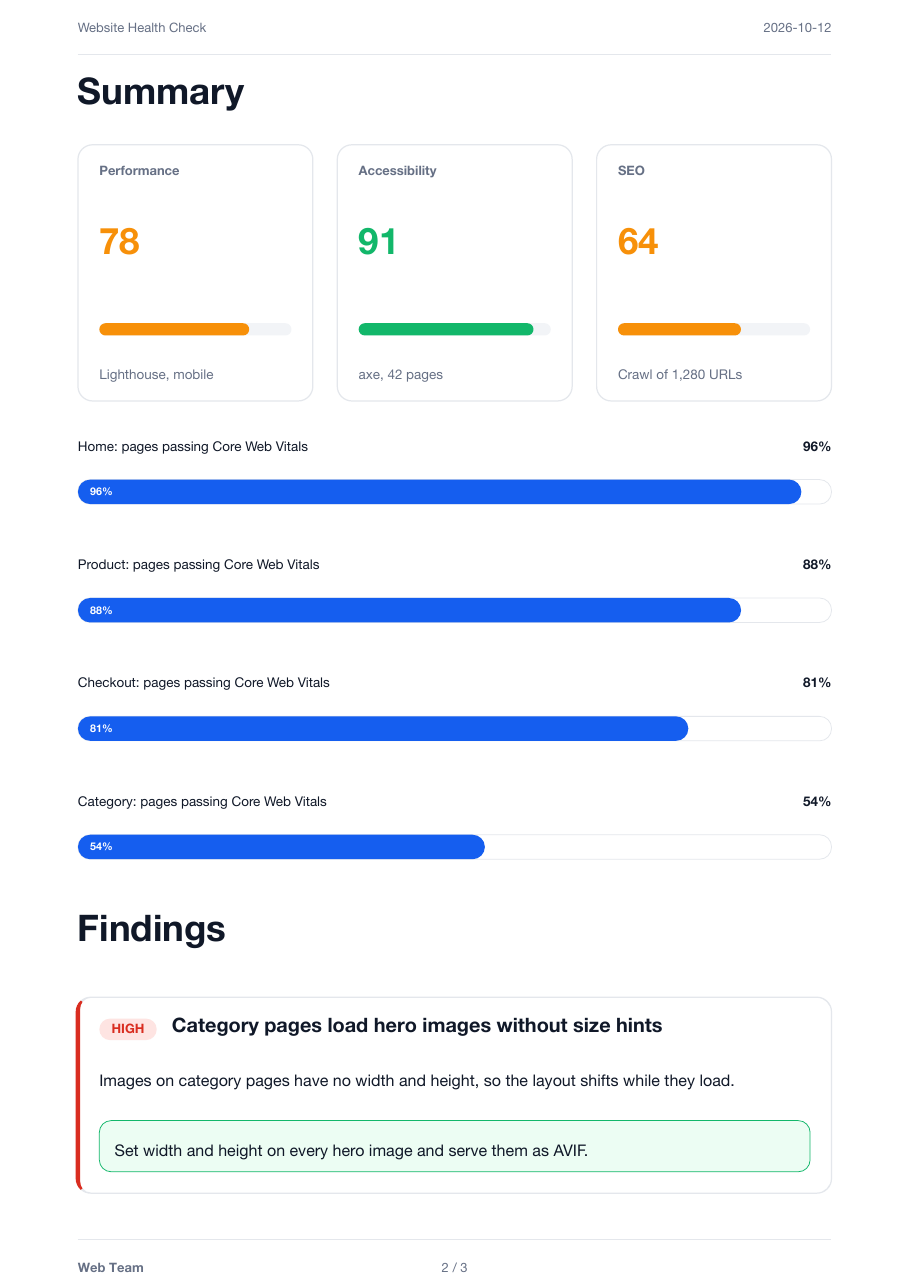
renderreport builds PDF reports from components and theme tokens. Describe the report in Rust or JSON; the engine writes the Typst source and compiles it in-process, with PDF/UA-1 enforced. No typst binary, no Typst to learn.
{
  "template_id": "default",
  "title": "Website Health Check",
  "subtitle": "shop.example.com — October 2026",
  "metadata": {
    "date": "2026-10-12",
    "author": "Web Team"
  },
  "components": [
    {
      "type": "section",
      "data": {
        "title": "Summary",
        "level": 1
      }
    },
    …
  ]
}
renderreport render health-check.json
cargo add renderreportcurl -fsSL https://raw.githubusercontent.com/casoon/renderreport/main/install.sh | shnpm install @casoon/renderreport- built-in components in 8 categories
- 80
- external typst binaries or subprocesses
- 0
- ways in: Rust, CLI, npm, Wasm
- 4
- PDF standard enforced on every render
- UA-1
What it does
Components, not markup
Score cards, findings, tables, timelines, pricing cards and 75 more. Each takes plain data; layout hints keep headings with their content and cards in one piece.
Theme tokens
Colours, fonts, spacing and margins are named tokens that every component reads. Merge the default theme, a pack theme and your own, token by token.
Accessible by default
Every PDF is tagged and checked against PDF/UA-1 while it is written. A missing title, language or alt text fails the render instead of shipping silently.
Runs where your data is
Rust library, a CLI that reads JSON (also via npm), and a Wasm build for JavaScript hosts such as Cloudflare Workers, with bundled fonts.
How it works
Every way in produces the same render request. The engine merges the themes, writes the Typst source and compiles it in-process.How a report is rendered walks through each step.
Focus
Source: src/engine/mod.rs, src/render/typst_compile.rs
Show chart data
| Step | Kind | Lane | Leads to |
|---|---|---|---|
| Rust builder | start | Input | RenderRequest |
| JSON | start | Input | RenderRequest (serde) |
| RenderRequest | step | Input | Merge themes |
| Merge themes | step | Engine | Typst source |
| Typst source | step | Engine | .typ string (stop here), Embedded Typst 0.15 |
| Embedded Typst 0.15 | step | Engine | PDF/UA-1 met? |
| .typ string | end | Output | |
| PDF/UA-1 met? | decision | Output | PDF (yes), Typst diagnostic (no) |
| end | Output | ||
| Typst diagnostic | end | Output |
Focus
Source: src/engine/mod.rs, src/render/typst_compile.rs
Show chart data
| Step | Kind | Lane | Leads to |
|---|---|---|---|
| Rust builder | start | Input | RenderRequest |
| JSON | start | Input | RenderRequest (serde) |
| RenderRequest | step | Input | Merge themes |
| Merge themes | step | Engine | Typst source |
| Typst source | step | Engine | .typ string (stop here), Embedded Typst 0.15 |
| Embedded Typst 0.15 | step | Engine | PDF/UA-1 met? |
| .typ string | end | Output | |
| PDF/UA-1 met? | decision | Output | PDF (yes), Typst diagnostic (no) |
| end | Output | ||
| Typst diagnostic | end | Output |
Rendered by renderreport
All examples →Open health-check.pdf · Download health-check.pdf (34 KiB)
examples/requests/health-check.json, rendered with the CLI. examples/regenerate.sh rebuilds every PDF on this site from the current checkout.
examples/requests/health-check.pdfQuickstart
Three steps from data to a PDF. The documentation covers components, themes, the JSON format and Wasm.
- Add the crate with
cargo add renderreport. - Build a report from components with
engine.report(…). - Write the bytes from
engine.render_pdfto a file.
use renderreport::prelude::*;

fn main() -> renderreport::Result<()> {
    let engine = Engine::new()?;

    let report = engine
        .report("default")
        .title("Website Health Check")
        .add_component(ScoreCard::new("Accessibility", 91))
        .add_component(Finding::new(
            "212 URLs return a redirect chain",
            Severity::Medium,
            "Old product URLs redirect twice.",
        ))
        .build();

    std::fs::write("report.pdf", engine.render_pdf(&report)?)?;
    Ok(())
}